> For the complete documentation index, see [llms.txt](https://docs.carv.io/llms.txt). Markdown versions of documentation pages are available by appending `.md` to page URLs; this page is available as [Markdown](https://docs.carv.io/carv-ecosystem/moff-bot-and-customer-data-platform.md).
# MOFF Bot & Customer Data Platform
A Winner from BNBChain's Zero2Hero Hackathon Gaming Track. Building with CARV's ID SDK and Graph, Incubated by CARV.
Moff is a community bot that supercharges your Discord servers and empowers your community manager with user intelligence. It was a Gaming track winning project, integrating CARV SDK, from BNBChain's Zero2Hero Hackathon.
It not only grows your community, helps gain deeper insights into your users, but also streamlines your day-to-day tasks. Moff currently offers the following features:
### User Insights
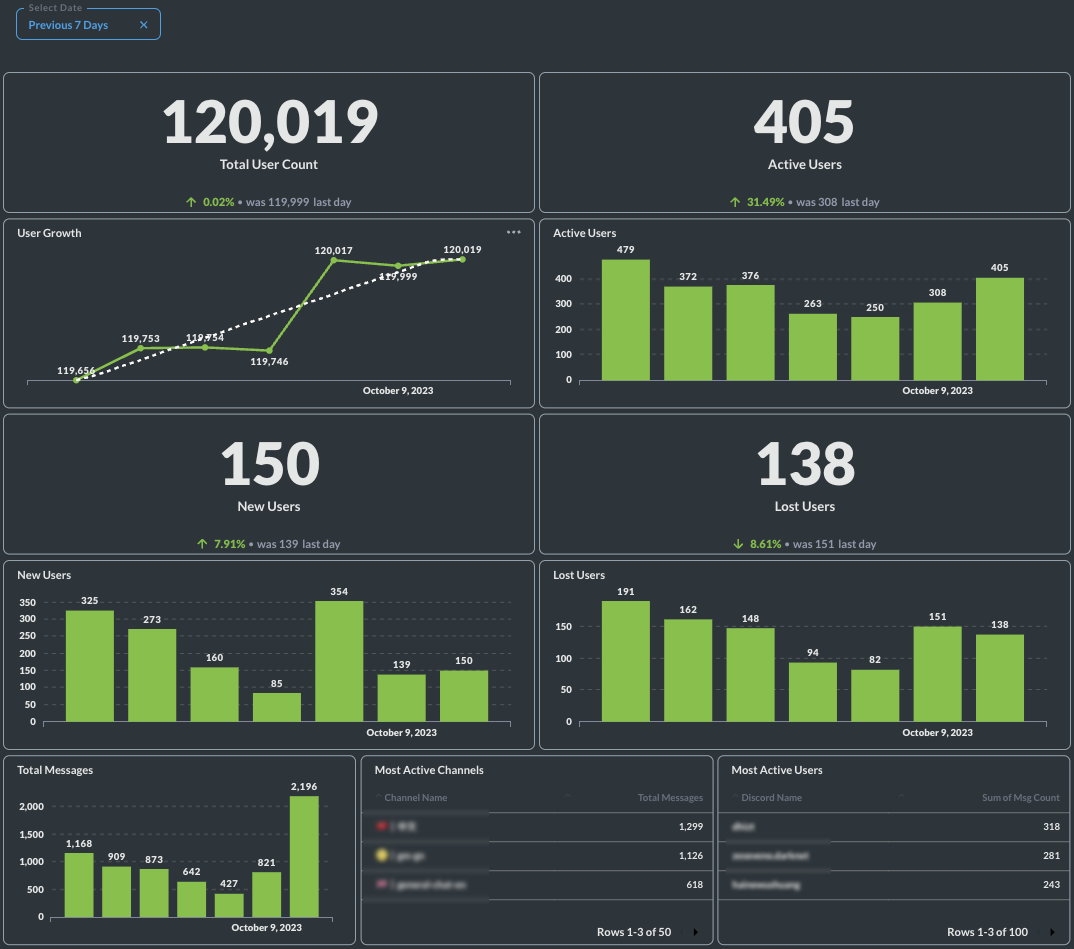
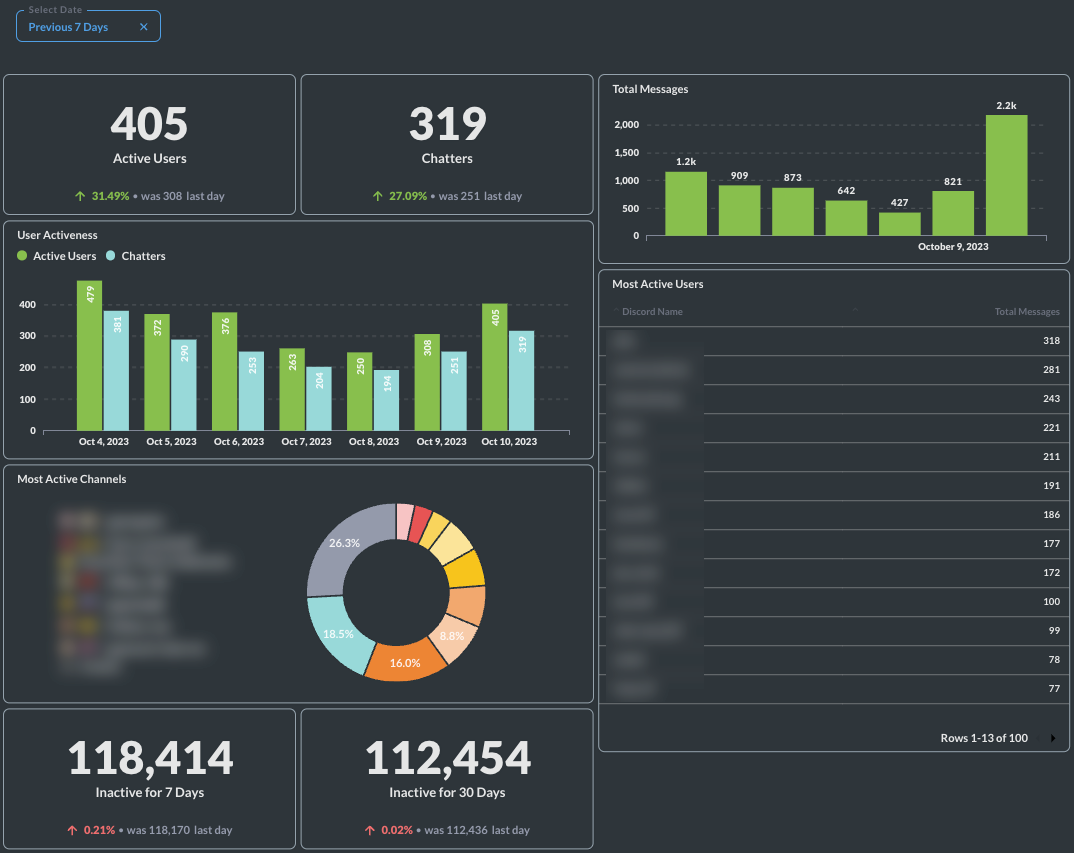
* **`Insights Dashboard`**: Empower community admins with valuable information and data-driven insights. With this powerful tool, you can now gain a better understanding of your community members x platform activities by accessing in-depth analysis. Discover key demographics, interests, and behaviors, allowing you to refine your messaging and operating strategies with precision. You can access this dashboard on [CARV Portal](/carv-ecosystem/carv-play/portal-access.md).
* **`ID Graph`**: Gain a better understanding of your community with in-depth analysis of their profiles and refine your messaging and targeting. Let your users connect their wallets and third-party accounts and add more dimensions to the profile of your users. [Details](https://www.notion.so/ID-Graph-c8940690bb43434eba9b809925367d09?pvs=21)
Moff CDP
Moff CDP
### Community Quest Creation on CARV Play
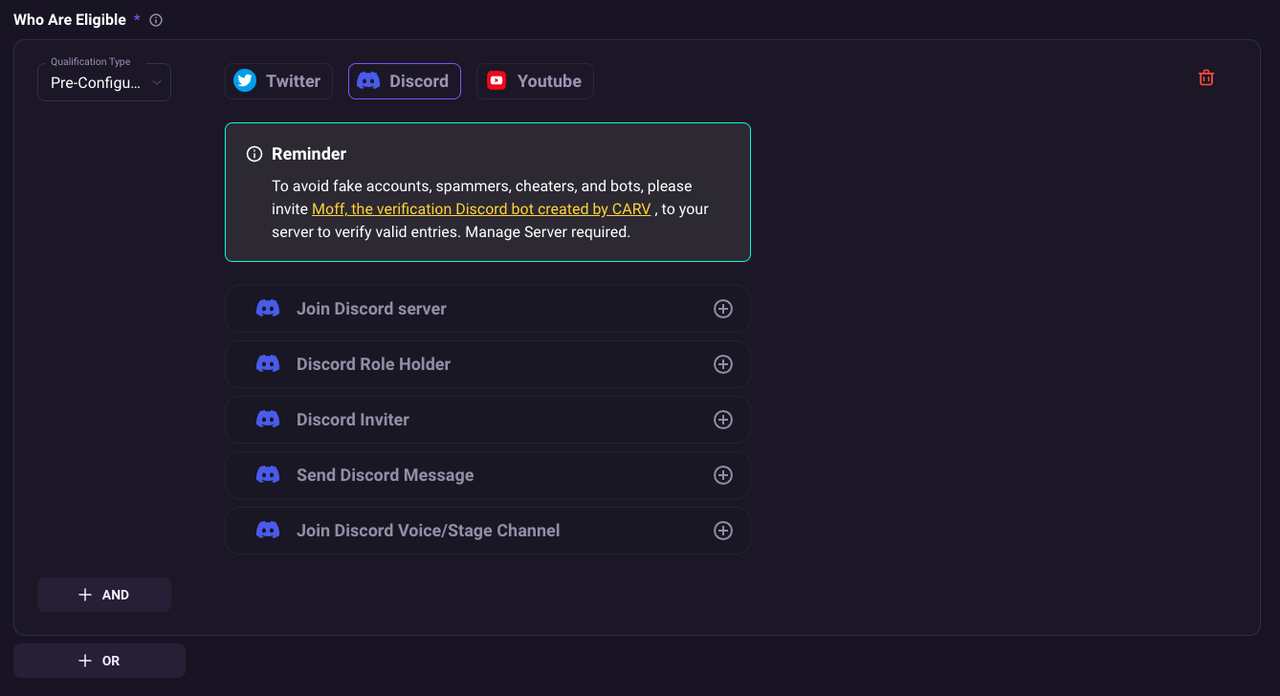
* **`Discord Quests`** Launch your [incentive campaigns](https://www.notion.so/carv-official/Event-Launcher-a8b9664ce751469092e978b3e9724b86) on [mission system](https://www.notion.so/carv-official/Missions-System-3e05da5f70084af28798164fb9c104a7) CARV and attract users to join your Discord, get a certain role, send messages, invite others to your server, etc. [Details](https://www.notion.so/2f4becefb5b64bfcbf10b08873e64eaf?pvs=21)
CARV Portal UI
### **Community Management**
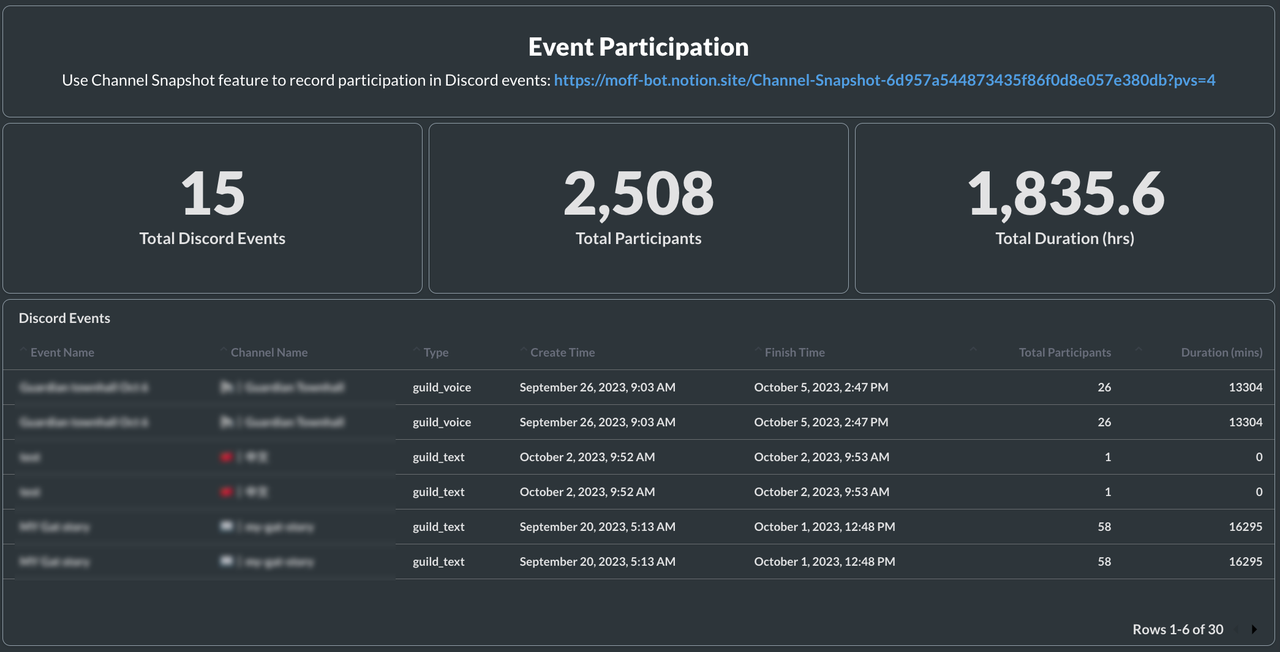
* **`Channel Snapshot`**: Record the attendance of live-streaming events, e.g., AMA, and how long each member stays for the live event using this feature. It can be activated in Text, Forum, Voice, and Stage channels. The attendance can be exported as Google Sheets or viewed via Insights Dashboard on CARV Portal. [Details](https://www.notion.so/Channel-Snapshot-93b3393e6ad647b48740120fb13b2d2a?pvs=21)
Moff Community Snapshot - CARV
### **Campaign Traffic Tracking**
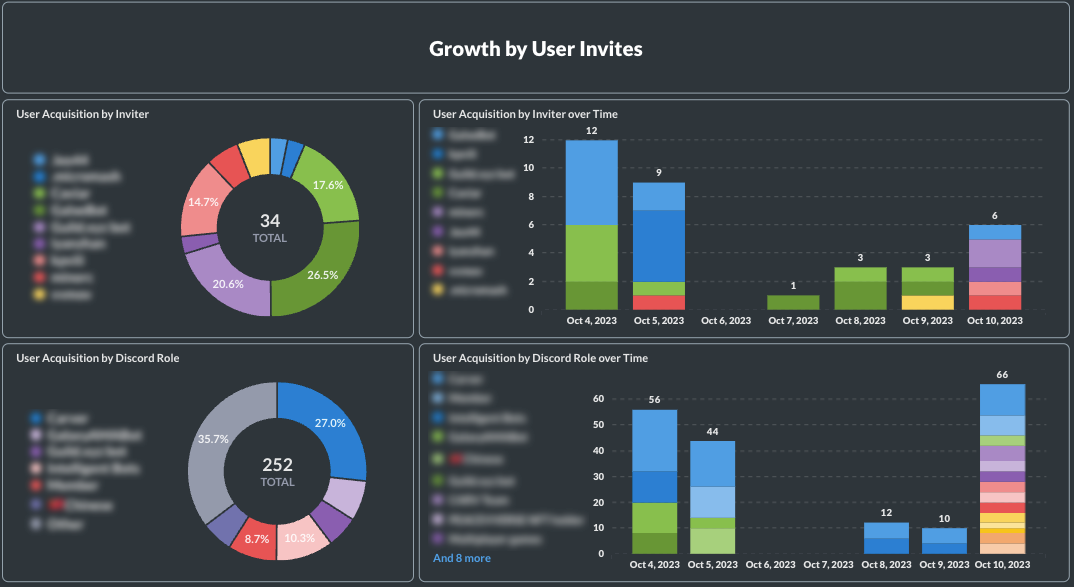
* **`Permanent Invites`**: Create never-expiring Discord invite links customized for each campaign and each distribution source. And track the performance of your campaigns and effectiveness of your distribution sources to grow your community in the future. Such insights can also be viewed via Insights Dashboard on [CARV Portal](/carv-ecosystem/carv-play/portal-access.md). [Details](https://www.notion.so/Permanent-Invites-3689f1d44a594fbaa23479c68643a79c?pvs=21)
Moff Community Growth
Visit [Moff Guide](https://www.notion.so/carv-official/Moff-Guide-b20d93b13f1141be97a6218d26e4a270) at [Help Center](https://carv-official.notion.site/CARV-Help-Center-94043498ebdc4a9a8fd5fc3315ae819c) for more details!